Below is a list of MetaFather software instances under the same public IP. Please select your local IP, hostname, and MFT address to connect. After clicking 'Connect', open the MetaFather software on your PC, log in to your MFT account for authorization, and then you'll be able to watch XR videos on this webpage in Meta Quest Brower.
If you have not installed MetaFather on a Windows computer on the same LAN, visit www.metafather.org in the browser of a Windows computer to download and install it.

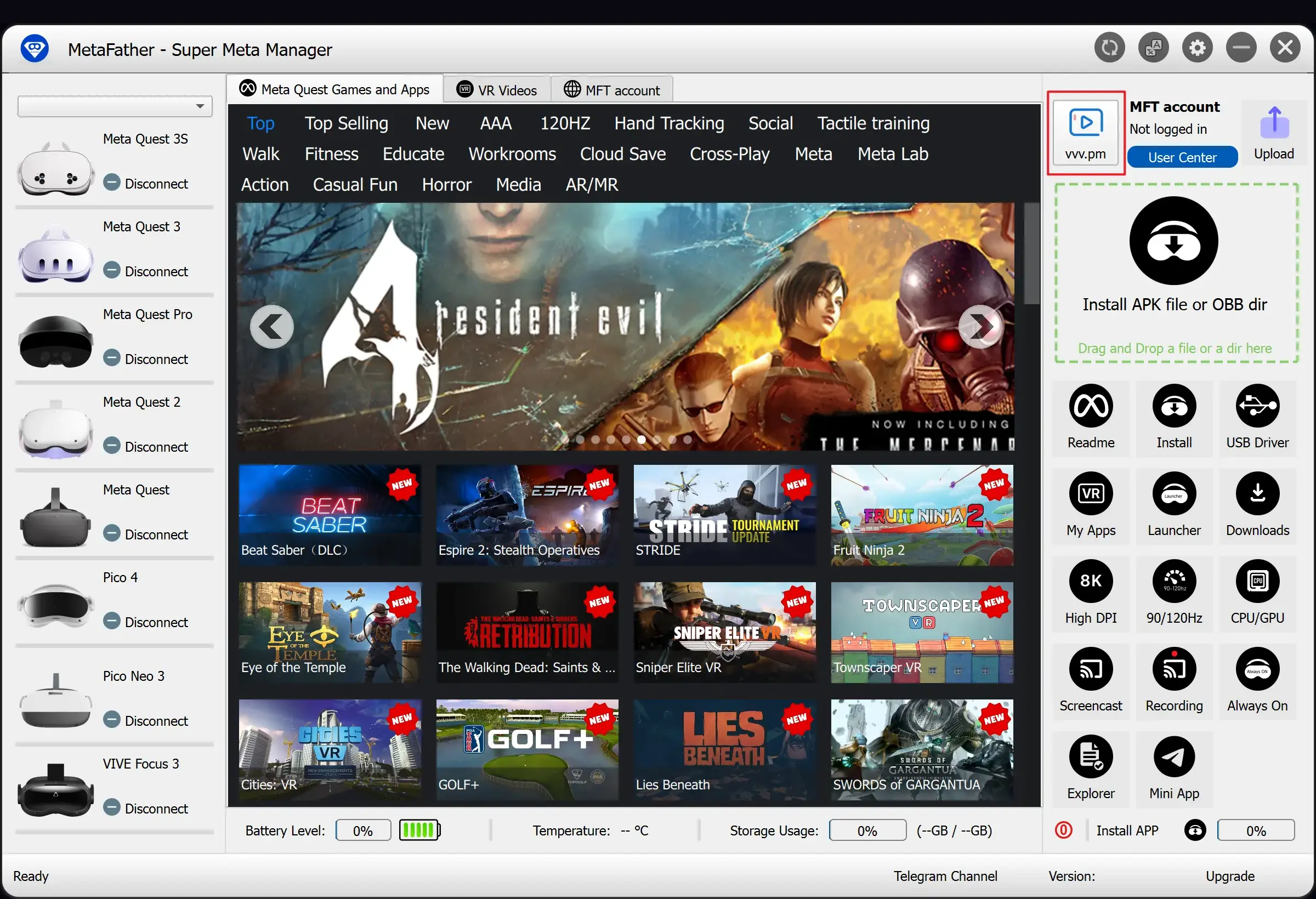
If your MetaFather software is not listed above, you can enter the number displayed on the vvv.pm interface of MetaFather software here to connect.